Private team chat that nobody can read. Not even us.
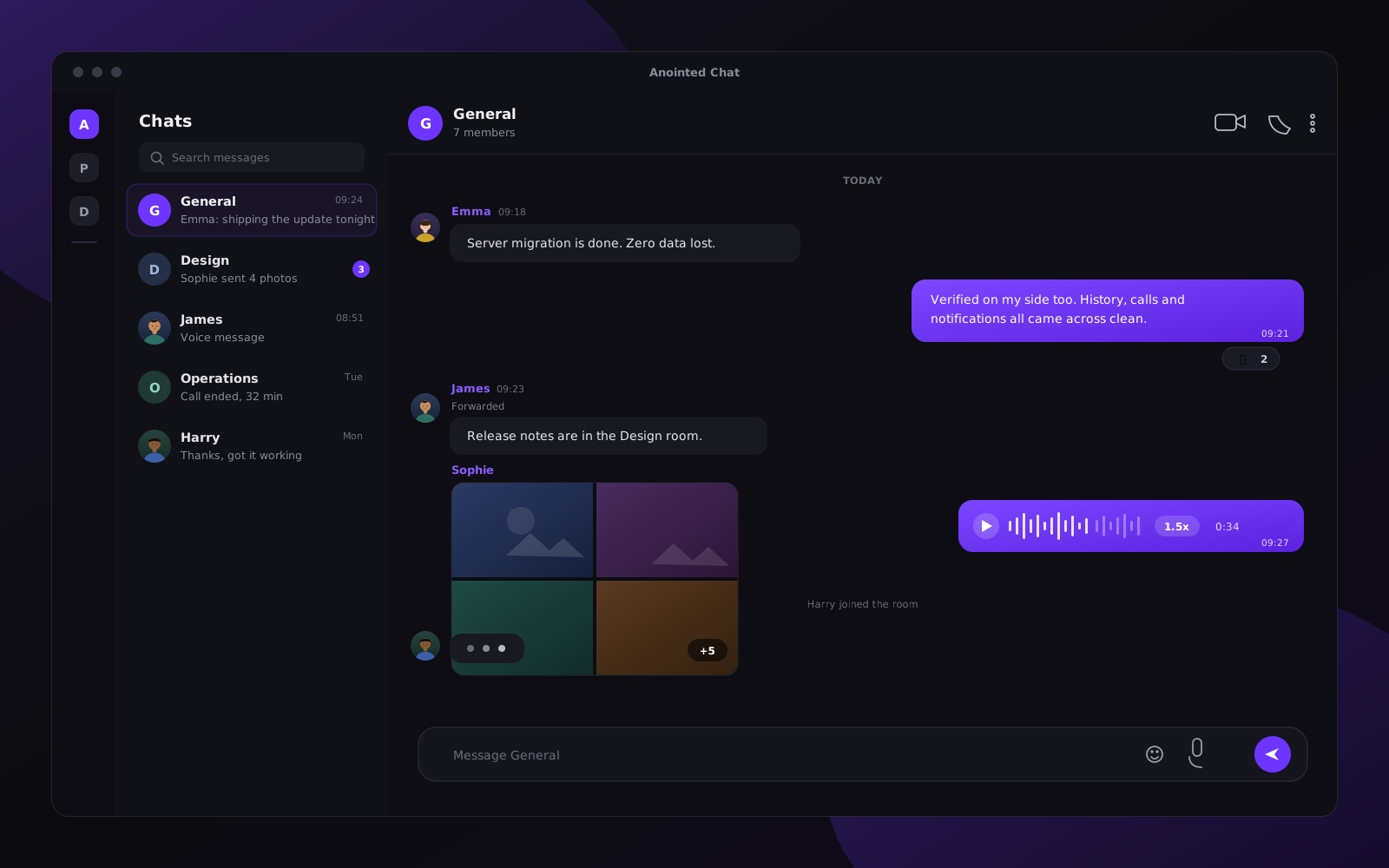
A complete team chat platform: group chat, direct messages, voice notes, file sharing and video calls with screen sharing, built on the open Matrix protocol. Every message and call is end to end encrypted on your own devices, so the conversation cannot be read in the middle, including by us. Use the app we host and it costs you nothing, we run and maintain it. Want it nowhere near our infrastructure at all? Buy the source and deploy the whole thing on your own server.
Use the app we host, free
It runs on our server and we look after it, at no cost to your team. End to end encryption is what protects you: the keys stay on your devices, so we cannot read a single message even though the server is ours.
Or buy the source and host it yourself
Only this option puts the platform on infrastructure you control. You get the complete source, deploy it on your own server, and nothing touches ours at all. Priced per project.
What your team gets
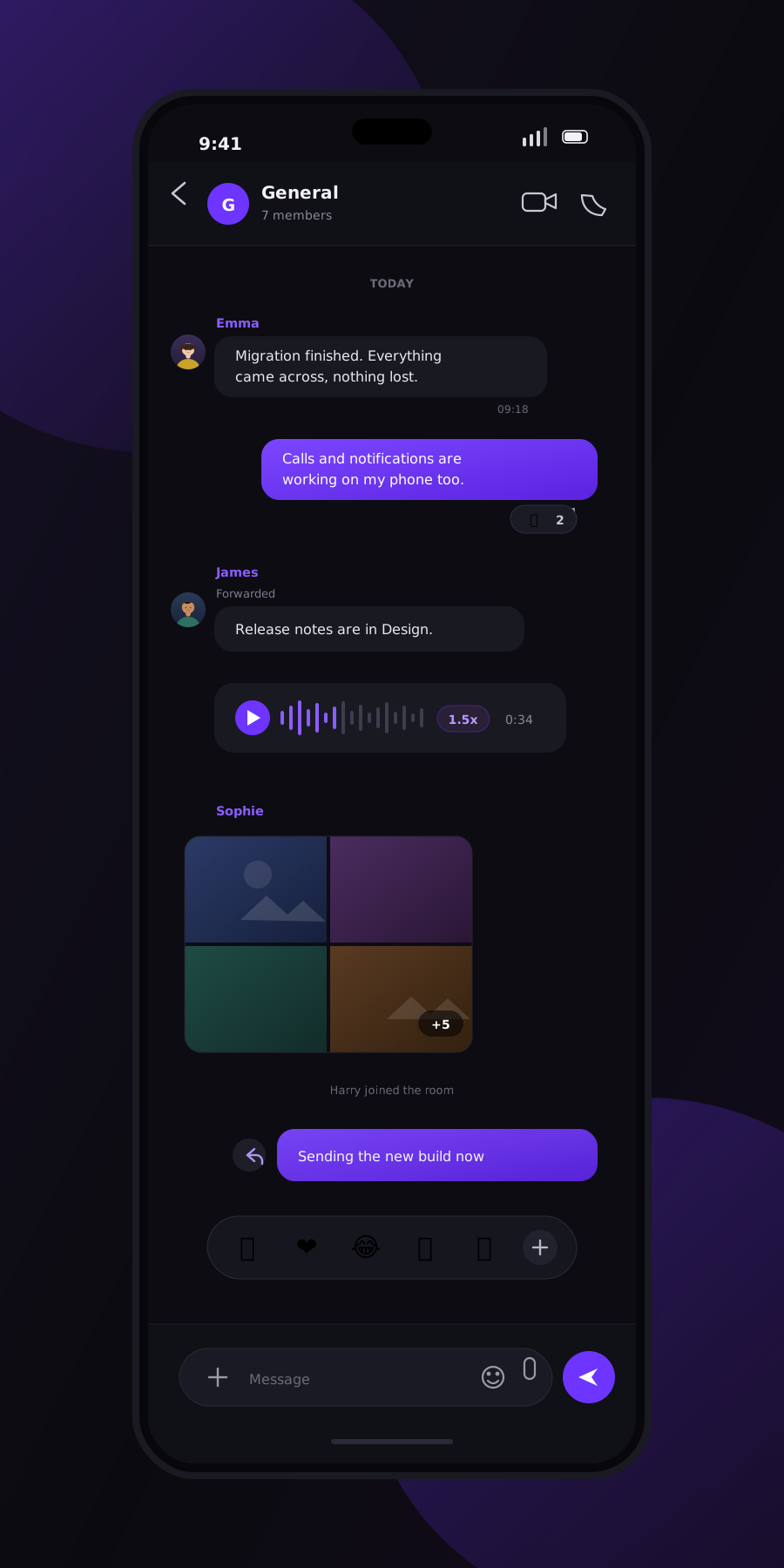
Group rooms and DMs
Threads, replies and reactions, in every app.
Voice notes
Hold the mic button to record and send.
Photos, video and files
Any file type, up to the size limit set on the server.
Voice and video calls
Group or one to one, from the call button in any room.
Screen sharing
Available inside any call.
Push notifications and sync
Real time on Android, full history across every device.
The apps exist. Ask and we send them.
The web app is open right now at chat.team.anointedcoder.com in any browser, on any device. The native clients are below. Register once with your name and email, then request whichever one you need and we send it to you. Every one of them is free.
Register once with your name and email, then request any build below. The app is free, this is just how we get it to you.
Windows
Installer or portable .exe
A desktop client for Windows 10 and 11, built and tested. The build is unsigned, so Windows shows an unknown publisher warning the first time you run it; choose More info, then Run anyway.
The team sends this one by hand, so it is not instant. Usually within a day.
macOS
Apple silicon and Intel
A disk image for macOS, built and tested for both Apple silicon and Intel Macs. The build is unsigned, so on first launch open it from Finder with a right click, then Open, rather than double clicking.
The team sends this one by hand, so it is not instant. Usually within a day.
Android
APK
An APK you install directly, with no store account involved. Android asks you to allow installs from your browser the first time.
The team sends this one by hand, so it is not instant. Usually within a day.
To be plain about it: the app is free. Registering costs nothing, asking for a build costs nothing, and neither one commits you to anything. We ask for a name and an email so we can send you the build and tell you when there is a newer one, and for no other reason. The paid item further down this page is the source code, which is a separate thing entirely.
There will be no iOS version, and that is on purpose
Shipping an app on iPhone means publishing it to the App Store, and publishing it to the App Store makes it public. This platform is deliberately kept private, for our team and our clients, so it stays off the store. On an iPhone, open the web app in Safari instead: it needs no install and works on the same account.
Getting in, and running it yourself
Two different journeys share this list. If your team is using the app we host, the first four steps are not your problem, they are ours: skip straight to step 5 and sign up. Steps 1 to 4 are for anyone who has bought the source and wants the platform on their own server. Budget two to three hours for that first deployment, and expect to need basic comfort with a Linux command line, a free Docker install and (recommended) a domain name.
Get a server and a domain
Only if you run it yourselfAny Linux server with a public IP works. Oracle Cloud's free tier is genuinely 0 per month and comfortably runs a small team. A real domain (about 10 USD a year) is recommended, since it becomes your team's permanent chat identity; a free DuckDNS subdomain also works if you just want to try it first.
Point five DNS records at the server
Only if you run it yourselfThe apex domain, plus matrix, chat, call and rtc subdomains. A single wildcard record covers all four subdomains at once.
Open the required ports
Only if you run it yourself80 and 443 for the web app and TLS certificates, plus a UDP range and one TCP port for call media if you want voice and video to work from anywhere.
Install Docker and run the setup script
Only if you run it yourselfCopy the project onto the server, set your domain in one .env file, and run ./setup.sh. It generates every secret, renders every config file and starts the whole stack: homeserver, database, web app and call server.
Create your account and save your recovery key
EveryoneEverybody creates their own account, there is no admin queue and nothing to request. As you set it up you are given a recovery key. Save it somewhere safe before you go any further, because you enter it after your password every single time you sign in, on every device. It is what protects and restores the keys your messages are encrypted with, which is exactly why nobody, us included, can look it up or reset it for you. Lose the recovery key and that account and its history are gone.
Sign in with the apps
EveryoneOn a computer, use the Windows or macOS desktop app, or just open the web app in any browser with nothing to install. On Android, use the custom Android app. Register once above and request whichever builds your team needs; we send them straight to your email. There is no iPhone app, on purpose; iPhone users open the web app in Safari.
What this platform can and cannot promise
Whose server it actually is
Let's be exact about this, because plenty of chat apps are not. If your team uses the app we host, it runs on our server, not yours. We keep it running, patched and paid for, and it costs you nothing. If you want the whole thing on hardware you own instead, that is what buying the source is for.
End to end encrypted, including from us
Messages and calls are encrypted on the sending device and decrypted on the receiving one. The keys live with your team, never with the server. So even though the hosted app sits on our machine, we cannot read your conversations, and neither can anyone who ever got hold of that machine. That is the protection here, not a promise about who owns the disk.
No federation
The server is locked to talk to itself only. It does not exchange messages with other Matrix servers, so nothing about your team's chat is visible from, or reachable from, the wider Matrix network.
One necessary third party touchpoint
No analytics, no ad tracking, no telemetry. Waking a sleeping phone for a new message does need one push service, since Matrix cannot reach a phone directly. The custom Android app is woken through Google's Firebase Cloud Messaging, via a gateway we run ourselves rather than a stranger's. It only ever sees that a message arrived, never the content, which your phone fetches from the server and decrypts locally.
Who can actually see your conversations
Anyone can create an account on the server, the same way your team does, which is normal for self-hosted chat. But an account alone opens no door into your rooms: Matrix only shows you a conversation once someone already in it invites you in. A stranger who finds the server can never simply read your team's chat.
Good to know before you start
- There is no iPhone app and there will not be one. Shipping on iOS means publishing to the App Store, which would make the app public, and it is deliberately kept private for our team and our clients. iPhone users open the web app in Safari.
- The Windows and macOS desktop apps are unsigned builds, so the OS shows an unknown publisher warning on first launch. That is cosmetic, not a security fault, and is explained on screen.
- Your recovery key is not recoverable. It is required after your password at every sign in, and nobody can reset it for you, which is the same property that stops us reading your messages.
- No bridges to WhatsApp, Telegram or Slack, and no federation with other Matrix servers. Both are deliberate, not missing.
Want it on your own server?
The app we host stays free to use. Buying the source is how you take it off our infrastructure entirely, and how you customise it, rebrand it, add features or build it into a client project. You get the complete package: server configuration, the web app, the Windows and macOS desktop apps and the Android app. Get in touch and we'll scope what you need.
Need something built around this?
Custom branding, extra integrations, or a managed deployment for a client. Start with a conversation and we'll scope it.